
Destination connectivity
Two eSIM Plans, One Trip
Use two esimdtc plans sequentially without confusing installation, first connection and expiry. Keep each allowance separate and switch data manually.
The short answer
One plan that covers your trip is usually simpler. If using two, use one travel eSIM, then switch to the second when needed. Each has its own data and expiry; buying two does not combine their allowances.
Can You Use Two eSIMs on One Trip?
You can use two esimdtc plans one after another on a compatible, carrier-unlocked phone. Check how many profiles your exact model can store and enable before buying. Label them Travel 1 and Travel 2, and install both over reliable Wi-Fi using the order instructions. Only one is selected for mobile data at a time. [1][3]
Stored does not mean active: Apple distinguishes managing eight or more stored eSIMs from using two eSIMs on iPhone 13 models or later. Google limits two active eSIMs to Pixel 7 / 7 Pro or later with carrier support. A phone storing several profiles cannot necessarily enable them together; only one line supplies mobile data at a time. [3][4][5]
When Does Each eSIM Start?
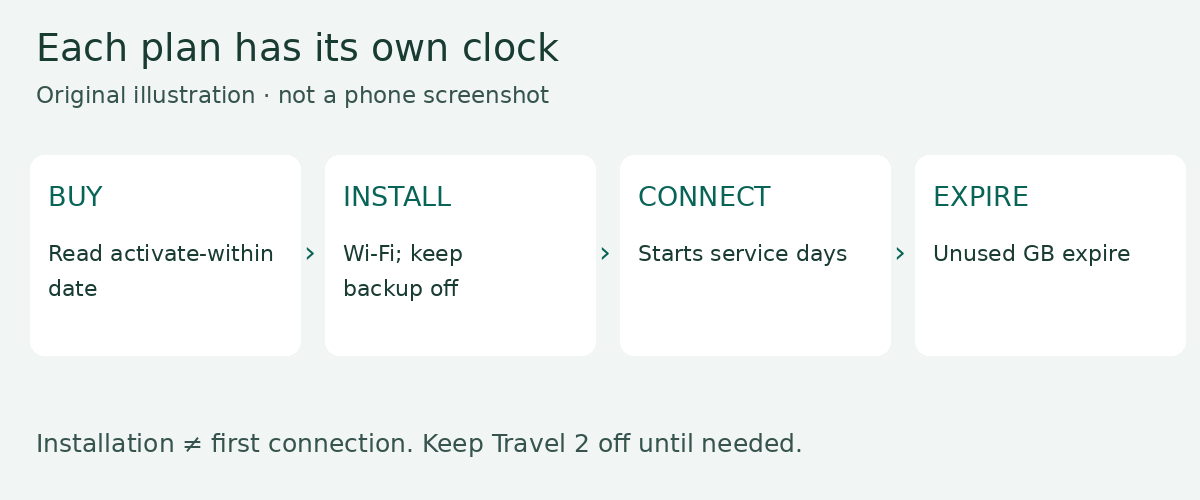
For the fixed-data plans listed in the linked Italy, Mexico and Canada catalogues, validity starts on first network connection, not installation. Install over Wi-Fi and keep Travel 2 off until needed. Each order has its own activation deadline. [2]
First-connection plans: Mexico
First-connection plans: Canada
Text alternative: buy, install, connect and expire
Swipe or use arrow keys to compare all columns.
Stage | What to do |
|---|---|
Buy | Check the unused-plan activation deadline in both orders |
Install | Use Wi-Fi before departure; label both profiles |
First connection | Starts that eSIM’s service period for these listed plans |
Validity end | That plan’s remaining data expires; the other clock is independent |
How to Switch From Your First eSIM to Your Second
Use Wi-Fi if available while changing settings. Keep the working profile installed. Menu names vary by OS version; the Android path below is Google’s Pixel guidance, other Android phones may use different menus. [3][4]
iPhone: if Travel 2 cannot be enabled alongside your home line and Travel 1, turn Travel 1 off without deleting it. Leave Allow Cellular Data Switching off when you want to prevent automatic data-line changes. [3]
Android menus vary by device and Android version; the illustration shows Pixel, not every Android phone. If Mobile data is unavailable for Travel 2, check that its SIM is enabled. Turn off Automatic data switching if offered and you do not want another line to take over. [4]
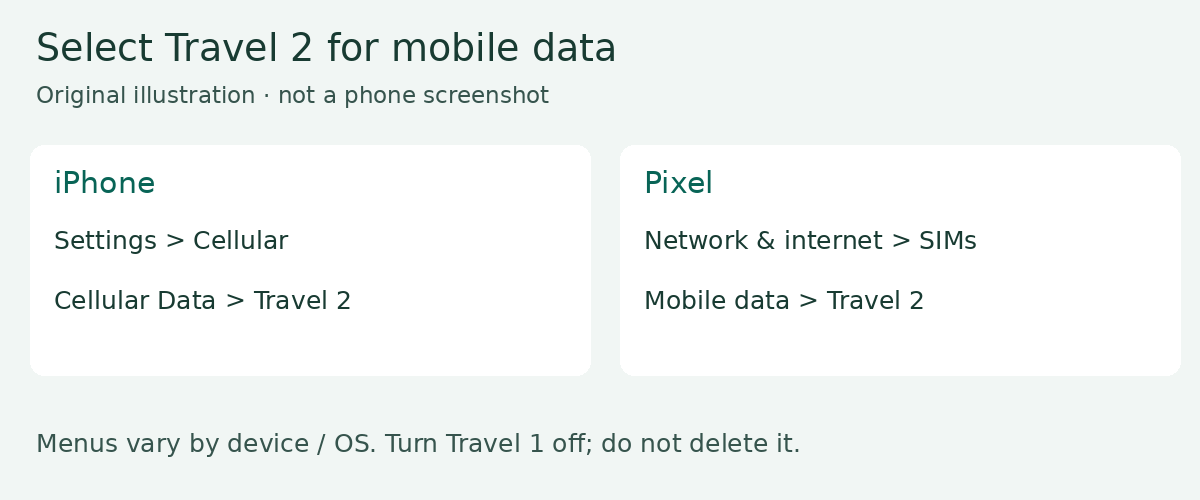
Follow Travel 2’s order instructions for data roaming, then open a webpage to confirm data is working. Calls and SMS settings are separate; a data-only plan does not take over your regular phone number. Based on Apple and Google support guidance; menus vary by model and OS version. [3][4]
When Buying Two Plans Makes Sense
One adequate plan is usually simpler. First compare the pair’s total data and each plan’s validity with your needs. If the pair provides less data than one plan, it is not an equivalent allowance. Only then compare checkout totals: we only suggest two plans when the saving is meaningful enough to justify two installations, a manual switch and separate expiry dates.
Common Mistakes to Avoid
- Turning on the backup too early: its own first connection can start its clock.
- Treating two data allowances as a shared pool: unused GB does not transfer between them.
- Confusing an activation deadline with service days: read both dates before travel.
- Deleting an eSIM to fix a connection: keep it installed and follow support instructions.
- Expecting a refill or ordinary calls: data may stop at quota exhaustion, and top-ups through esimdtc are coming soon.
Before You Buy: Confirm multiple-profile support, carrier unlock, each activation deadline, each service period, and access to both installation instructions.
Sources
[1] esimdtc Help — general installation and support ↩
[2] esimdtc — exact linked Italy, Mexico and Canada plan details; checked 9 Nov 2026 ↩
[3] Apple Support — Using Dual SIM with an eSIM; checked 9 Nov 2026 ↩
[4] Google Pixel Help — dual SIM preferences; checked 9 Nov 2026 ↩
[5] Apple Support — eSIM storage versus two active eSIMs; checked 9 Nov 2026 ↩